After starting the Microsoft AntiSpyware program this is the first screen you will see. On the menus at the top click "Options" and then click "Update" to update the definition file.
| Back to FridayCards home | Back to Main AntiSpyware page |
Microsoft AntiSpyware(beta1)
|
After starting the Microsoft AntiSpyware program this is the first screen you will see. On the menus at the top click "Options" and then click "Update" to update the definition file. |
|
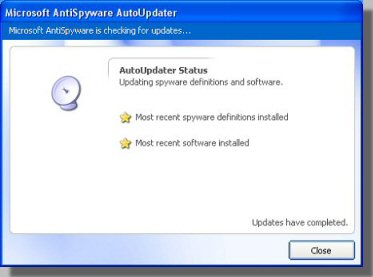
The update process is fairly automatic and you will get this screen once the update is done. Click the "Close" button to get back to the main screen. |
|
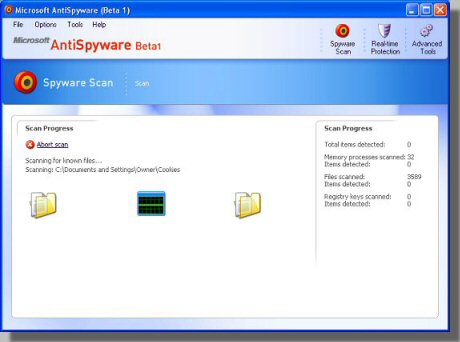
From the main screen click "Run Quick Scan Now" to get to this page. The scan will probably take from 5 to 10 minutes. |
|
After the scan is complete you will be presented with this screen. Click on "View Results". |
|
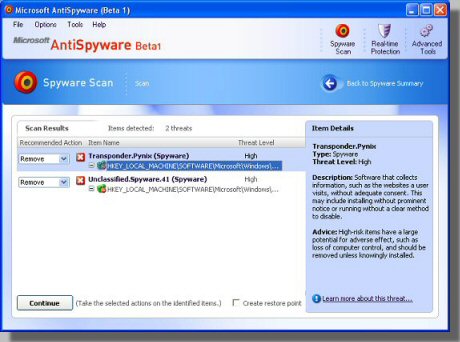
This screen will list out all of the items found. Microsoft has done a very nice job with this program (or more probably, the company they bought it from). Click on any of the items found for a very nice description of that item. On the left you are given an opportunity to change what you want done with each item. By default they will all already have "Remove" selected. Click the "Continue" button to remove all of these items from your PC. |
|
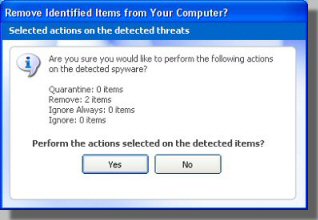
You get once last chance to change your mind about having these items removed. Just click the "Yes" button. |
| Back to FridayCards home | Back to Main AntiSpyware page |