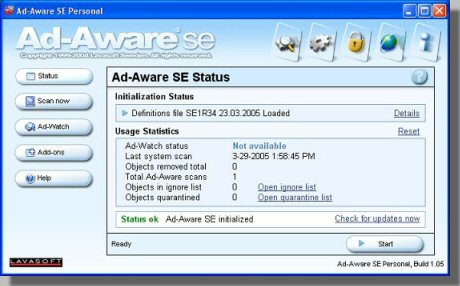
After Starting Ad-Aware, you should first check for updates. This will require that you be online. Just click on the "Check for updates now" link.
| Back to FridayCards home | Back to Main AntiSpyware page |
Ad-Aware SE
|
After Starting Ad-Aware, you should first check for updates. This will require that you be online. Just click on the "Check for updates now" link. |
|
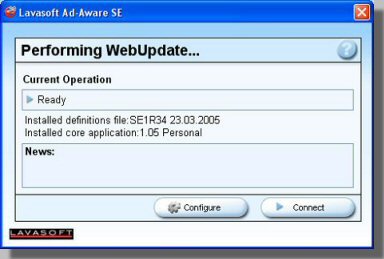
You will then see this screen. Just click on "Connect" and follow the prompts to download any new updates. |
|
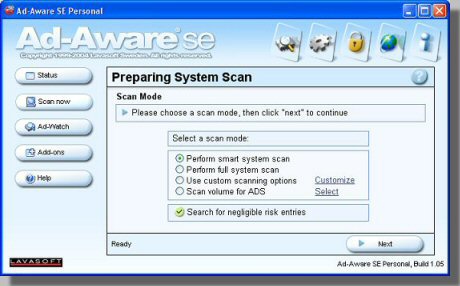
After the updates are done and you are back on the main screen. Click on the "Scan now" button on the left to get to this screen. Select "Perform smart system scan" for a fast (5 - 10 minute) scan. Or check the box next to "Perform a full system scan" for a more in depth and much longer (30 - 60 minute) scan. If I'm fairly certain my system is clean I do that faster scan. If I know there is spyware running then I do the more in depth scan. |
|
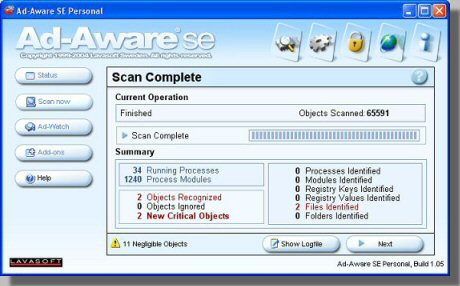
After the scan is complete you will be presented with this screen. Here it will give you a summary of what it found. Click the "Next" button to proceed to the clean up step. |
|
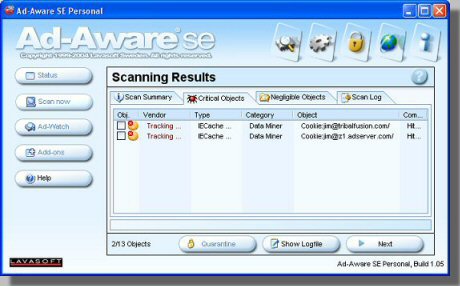
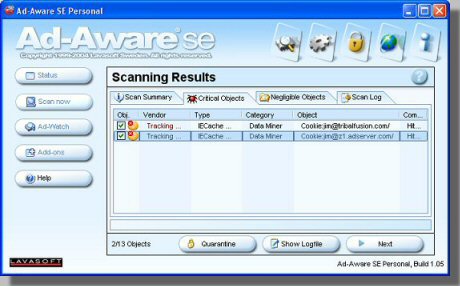
By default all of the items found will not have a check mark next to them. |
|
Right click on any object in the list and then click on "Select All Objects" to have the program select them all. |
|
Then click the "Next" button to clean these objects out. |
|
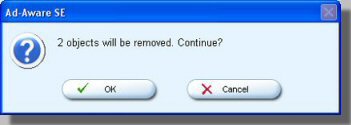
You are given one last chance to abort the process here. Just click on the "OK" button. |
| Back to FridayCards home | Back to Main AntiSpyware page |